Imaging & PACS Storage
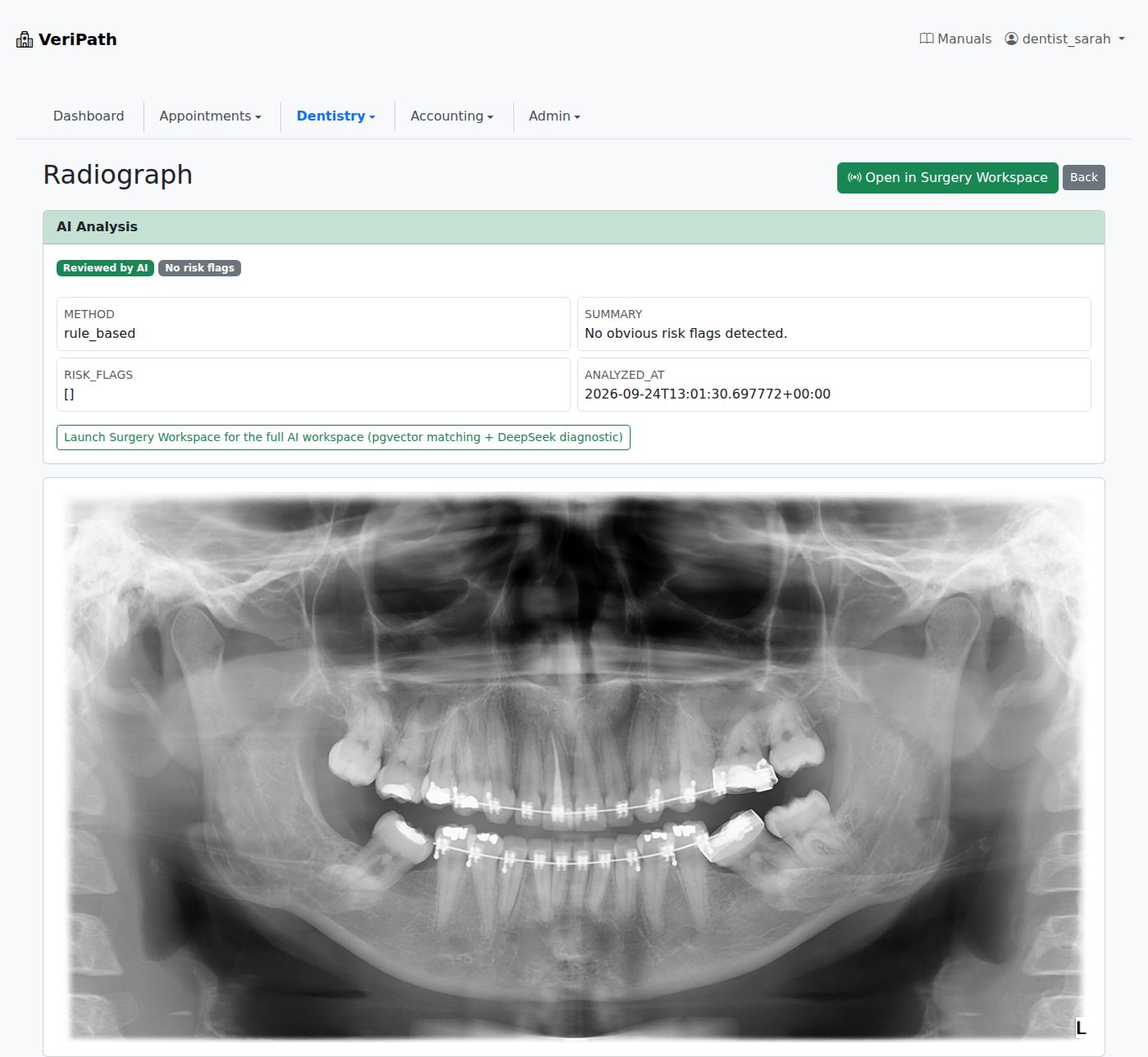
An X-ray is the awkward part of a patient's record: taken on the machine, wanted at the chair, and expected to be there years later when the same tooth comes back. VeriPath Dental takes the file as the machine produced it, keeps it in the practice's own store, and serves it to the screens that are allowed to see it — and only those.
From the machine to the record, in one upload
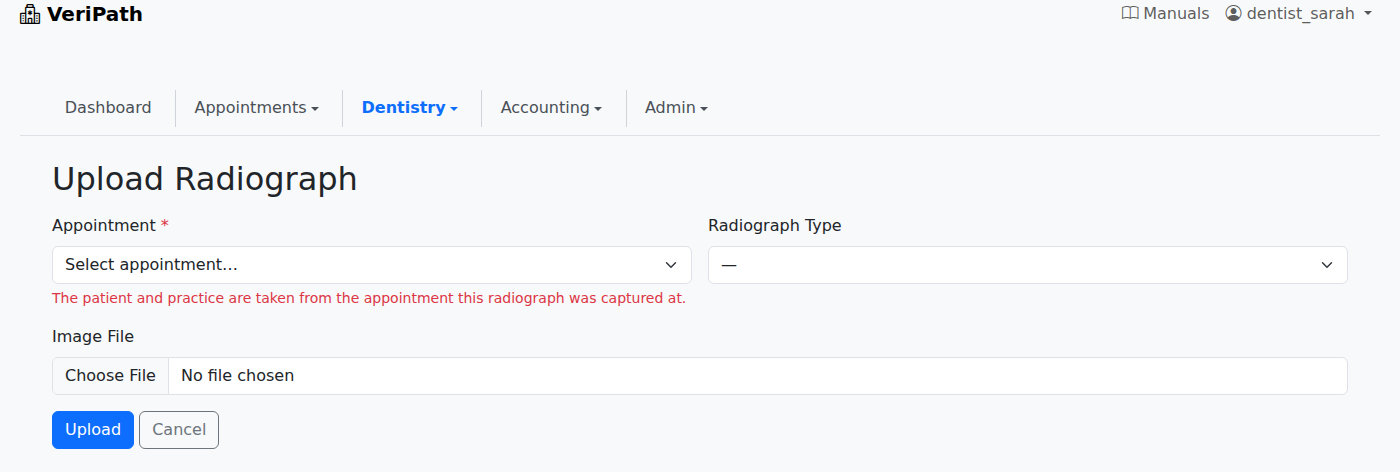
The upload is made against the appointment the image was taken at, so the patient, the practice and the date come from the visit rather than being typed a second time. What goes in is what the X-ray machine produced — a DICOM file — or a plain image if that is what the practice has, and the scan is on the record from that moment.
The file tells the app what it is
A DICOM export is read from its own content, not from its filename: the scan type comes from the machine's own modality, so a panoramic export arrives as a panoramic, and the capture date comes from the study itself. The file is stored exactly as it left the machine, untouched, with a viewable copy made beside it, so nobody needs a proprietary viewer to look at a scan with a patient in the chair. A file that cannot be read is refused with a reason and nothing is saved — a practice is never left with a broken record to tidy up later.
Labelled, so a scan can be found again
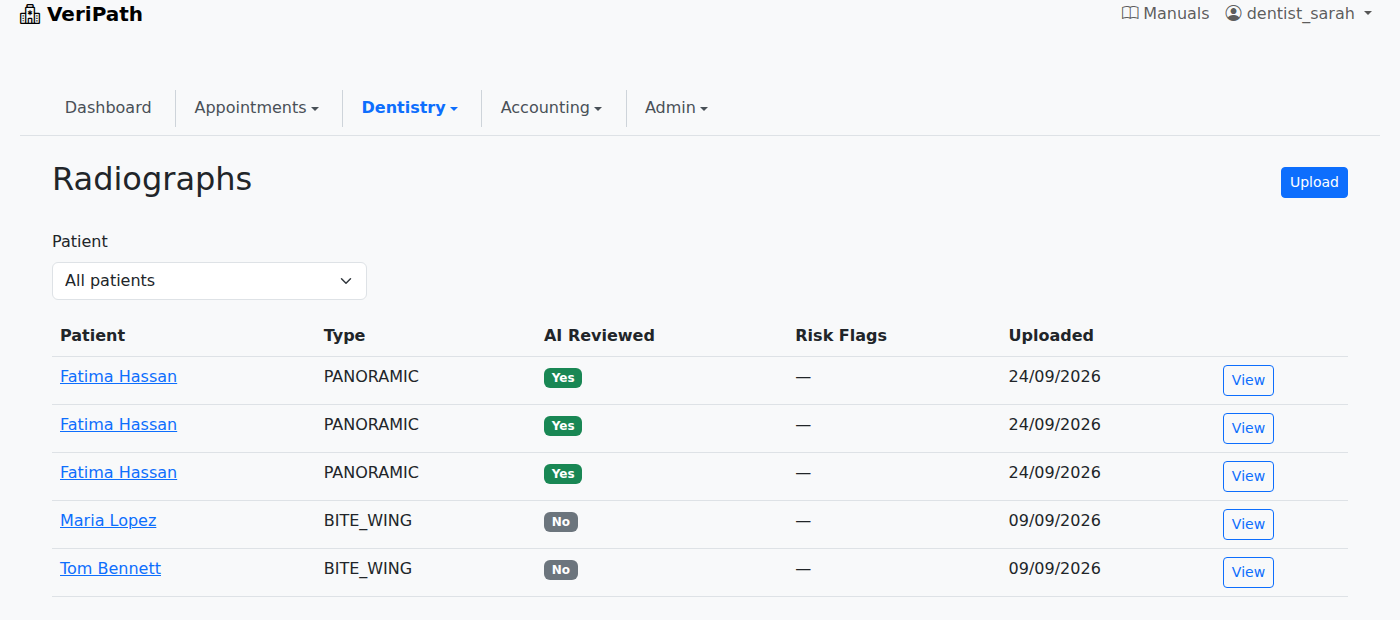
Every upload carries its type — bite wing, periapical, panoramic, cephalometric — and the list runs most recent first and filters by patient. The bite wing taken two years ago is a filter away, rather than a hunt through dated folders on the machine it was taken on.
Findings sit on the record
Each scan carries an automatic review, with anything it flags shown against the scan and dated, and a clear film said to be clear rather than left open to question. The image itself opens full size on the scan's own page, so a clinician reads the film and its findings in one place.
The scan compared with the one before it
From a scan the clinician opens the in-surgery workspace, where a selected tooth is matched against the patient's earlier films and the closest are shown with a similarity score, alongside a written comparison of the current scan against the historical match for clinical review. Both need a patient with more than one reviewed film behind them — which is the point: the value grows as the practice's own image history does.
Only the right eyes, from any screen
Clinical images are DSPT Category 3 data, and the app treats them that way: the Radiographs screens are clinical, reception does not have them in the menu at all, and images are served only through the authenticated screens — never from a public folder. Because they live in the practice's own object store, the same scan opens from any room in the practice, without ever leaving the practice's environment.
Part of the VeriPath Dental set
- Clinical Charting — the teeth the scan is read against.
- NHS Contract & FP17 Claims — radiographs are part of what a Band 1 course carries.